
Bulk Reminders
My Role:
Lead product designer — I led the end-to-end design process
Outcome:
Launched July 2023
Feature usage increased by 8%
Accountants sent an average, 9 reminder emails at once, with a peak of 40
Background
At the time, accountants could only send reminder emails one folder at a time, creating repetitive admin work that pulled them away from billable client tasks.
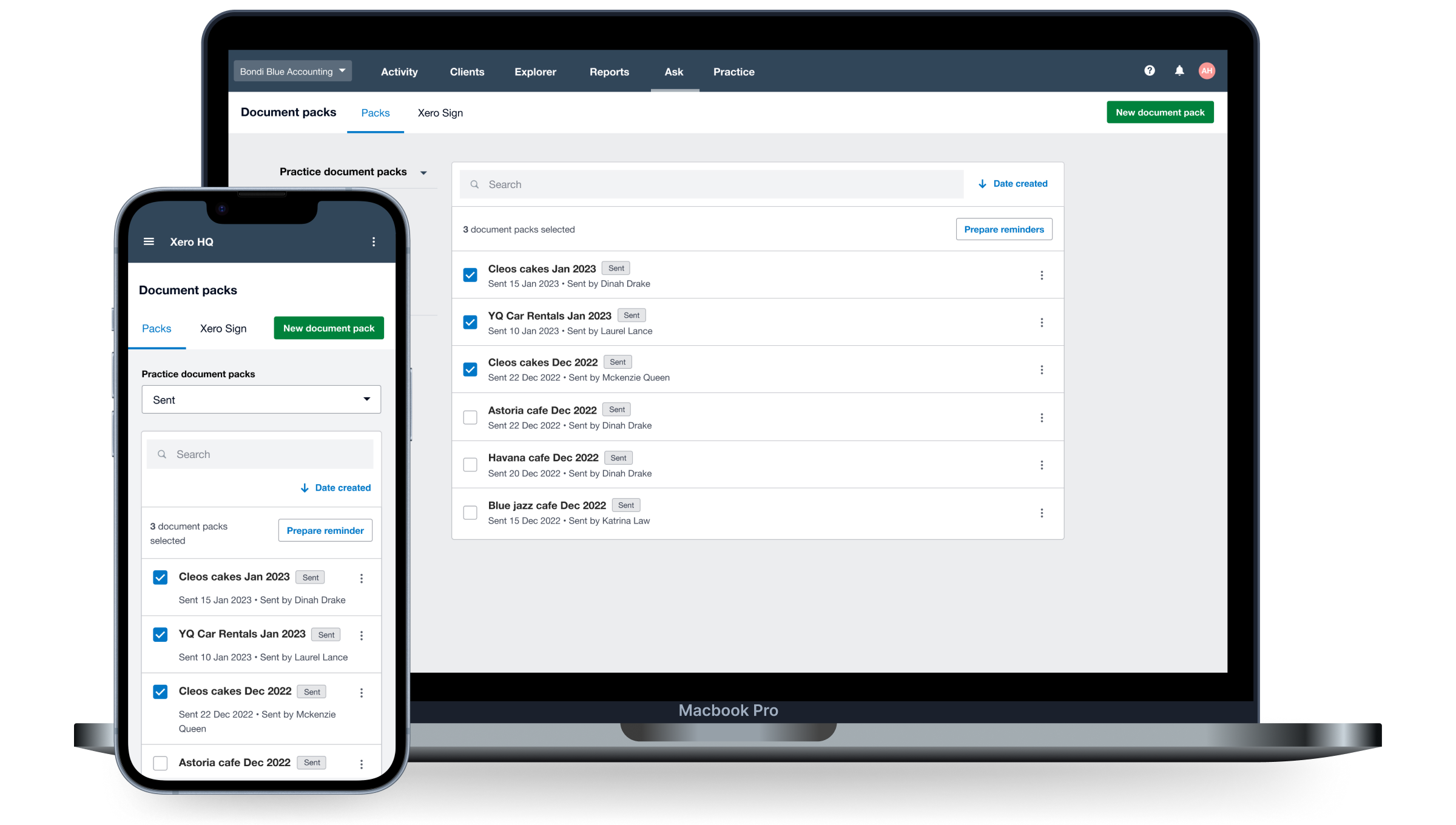
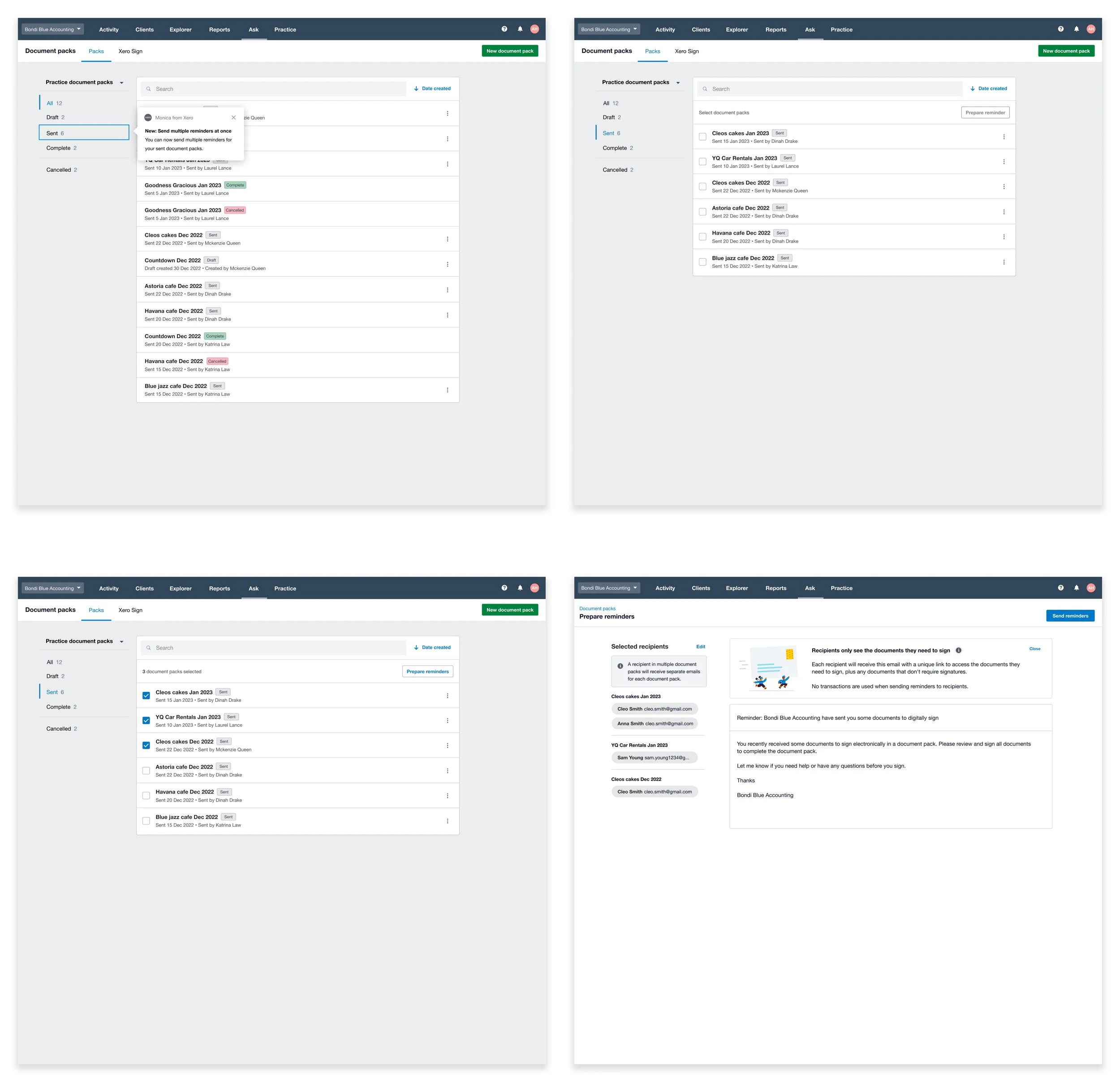
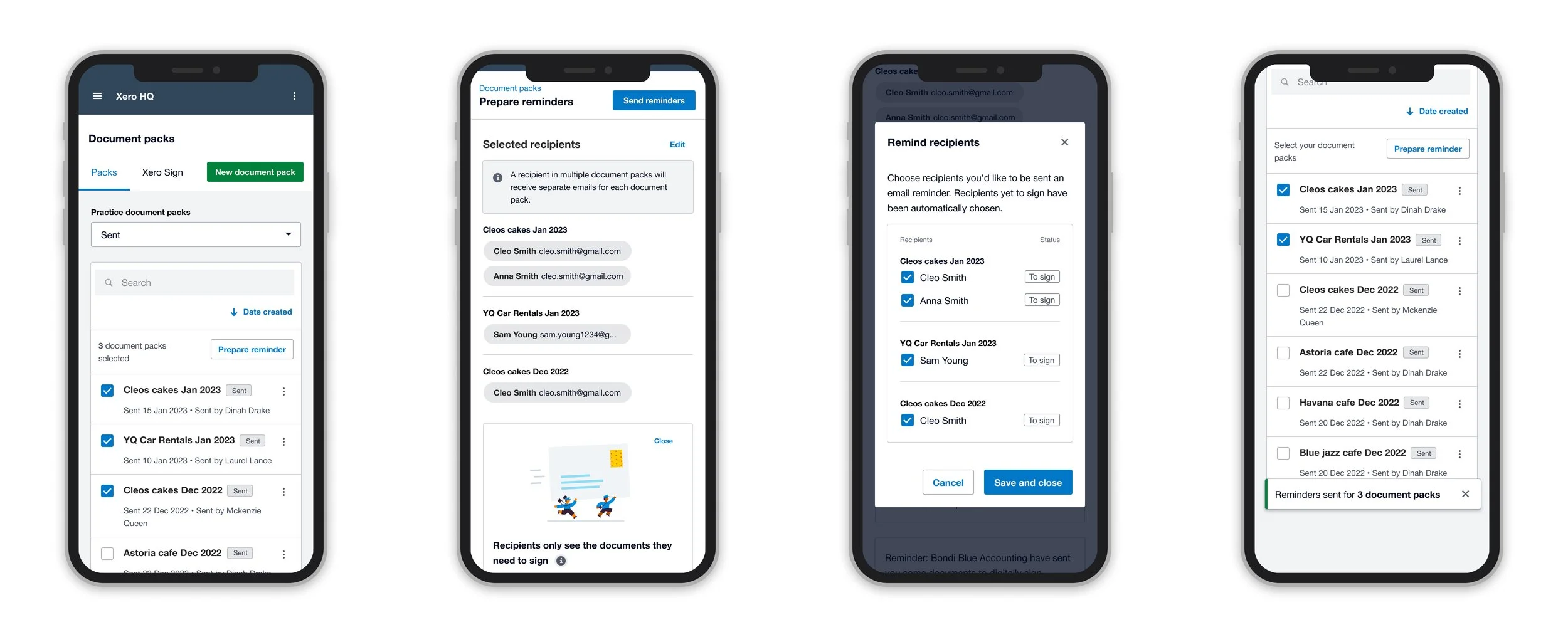
Bulk reminders is a bulk actions feature for Accountants to send multiple email reminders to clients that have outstanding documents to sign on Xero’s E-sign feature Document Packs.
Observing quantitative data trends
When kicking off this project, I collaborated with my Product Manager to find quantitative data in Mixpanel to see how many reminders were being sent by accountants.
Our data revealed 2,500 reminder emails were sent quarterly, with 48% going out within a week of sending documents to sign. This pattern indicated accountants were doing repetitive follow-up work early — helping validate our hypothesis that they'd adopt a bulk feature to speed up this task rather than sending emails one-by-one.

Competitor Analysis and Userflow
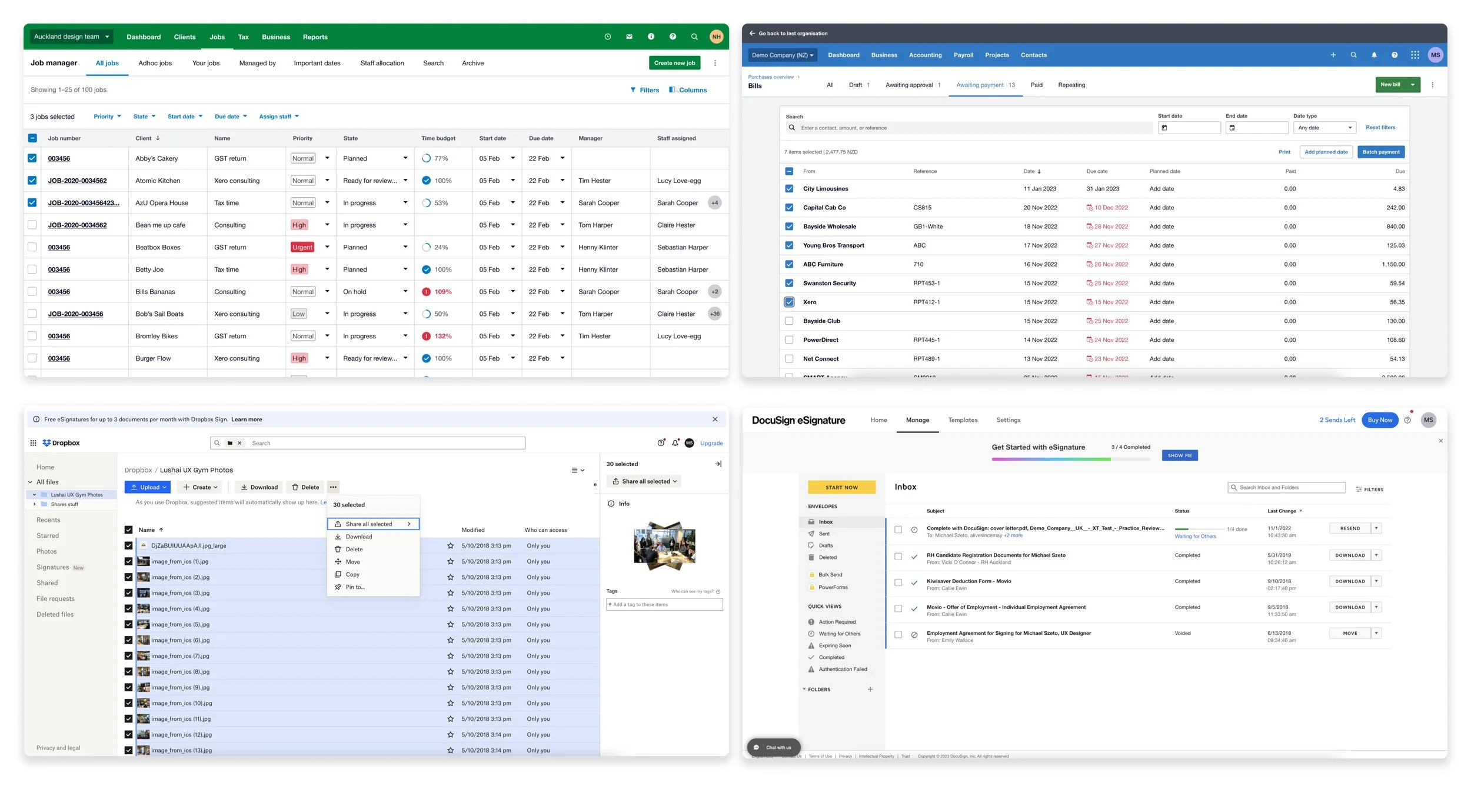
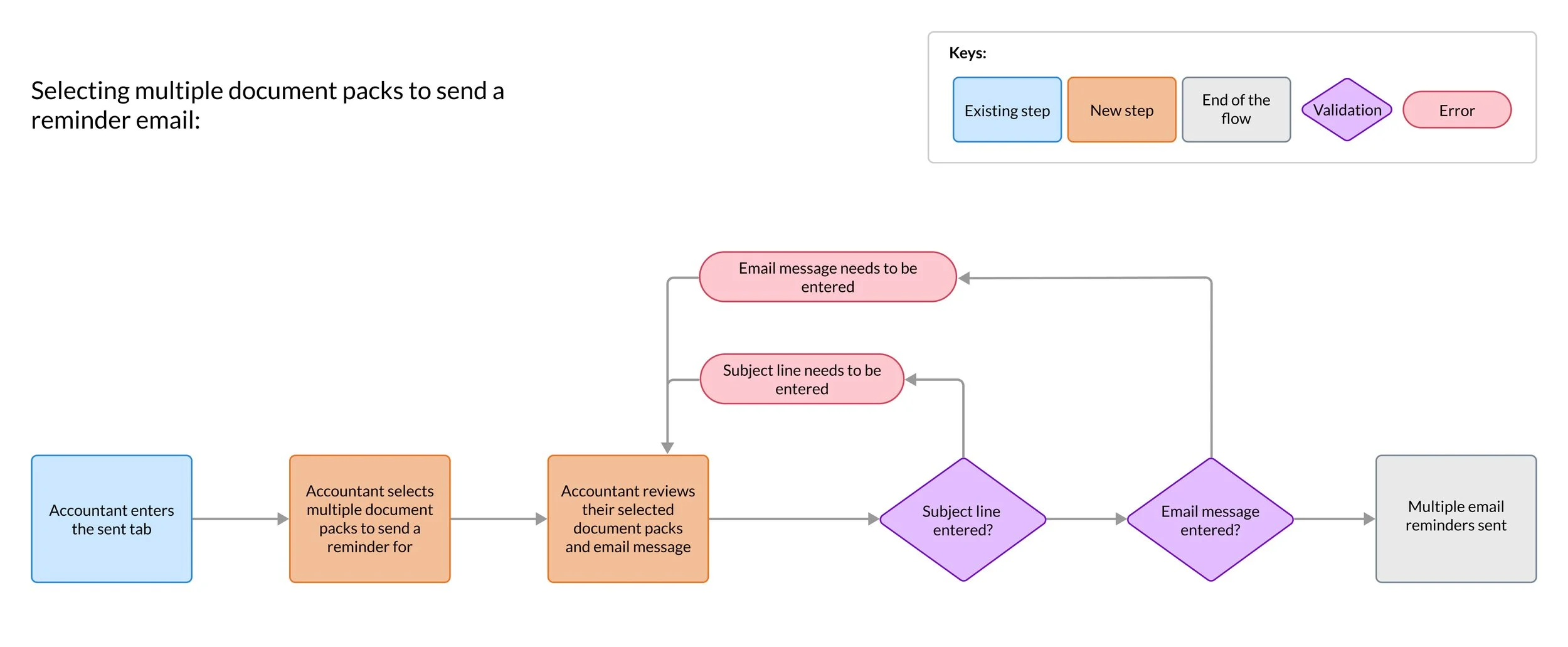
I reviewed bulk action patterns from Xero, Dropbox and Docusign and summarized key trends in a S.W.O.T analysis write up to align product and design.
Key trends I applied to my design concepts included:
Bulk selection checkboxes were left aligned to align with natural reading patterns (reading left to right)
Bulk selection features were disabled until at least one row of items was selected - as you shouldn’t be able to apply bulk actions if nothing is selected
A tally was added to help let users know how many document packs had been selected to save time manually counting what is selected
Prototyping and Unmoderated User Testing
As our main focus was on validating usability, we went with unmoderated testing over moderated testing. This allowed us to gain a larger number of participants to provide feedback more efficiently.
I built our unmoderated script and research plan before uploading both our prototype and script to usertesting.com.
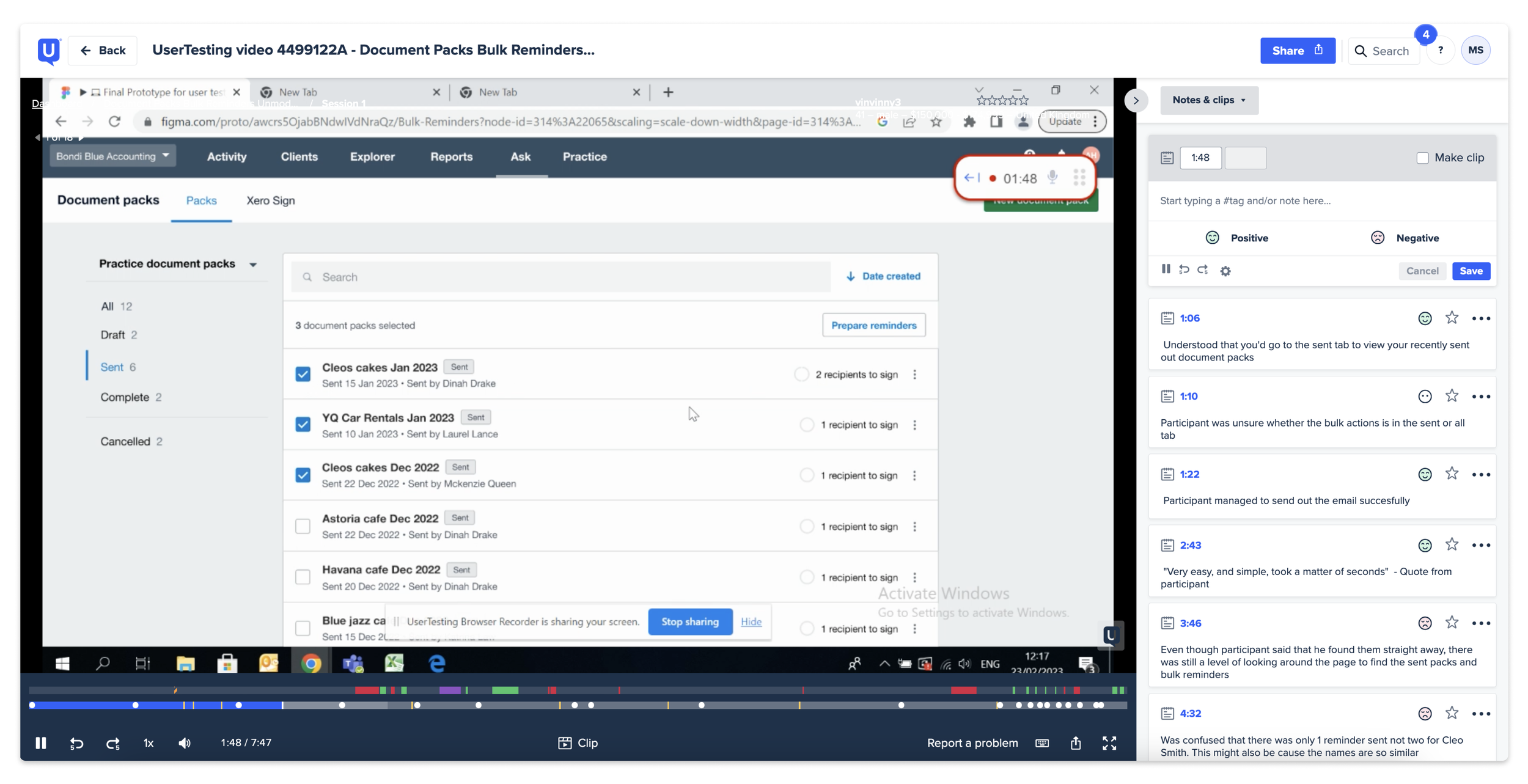
Key areas we found to fix from 15 participants include:
When trying to find the sent tab to use the Bulk Reminders feature, many participants didn’t instinctively realize they needed to go here
Progress icons were confusing to new users as they thought it was a second checkbox they had to click
Extra numbers on illustrations were making users confused how many emails would get sent out
Onboarding was not present in our prototype, but users shared they wanted to have a better onboarding structure to help learn about the updated functionality
“ I don't know if I am supposed to click both left (checkbox) and also right (progress wheel) ” - Participant when sharing feedback on the progress wheel
Key design decisions
Outside of the core feature work, I took a proactive approach on these key decisions:
Ensured there was a mobile experience — this wasn't originally planned, but accountants shouldn't be limited to desktop
Improved UX copy to clarify that clients would receive multiple reminders if they had multiple documents outstanding - From testing this wasn’t understood immediately
Collaborated with my Product Manager to set up Intercom onboarding tooltips — unmoderated user testing showed accountants weren't discovering the feature because it lives behind a tab they didn't think to check

Outcome
The Bulk Reminders feature launched in July 2023. Tracking usage in Mixpanel over 3 months showed:
Document Packs users increased by 8% when they saw our improvement for this tool following our launch
On average, accountants were now sending 9 reminder emails at once rather than sending each reminder email individually
The highest number of reminder emails sent was 40 at one time
The feature was presented at our monthly share back, receiving positive feedback on both the results and visual design from stakeholders across the business.
